Case studyService designFront-end engineering
Making an LLM API access workflow easy to follow.
Clickable mockups of a governance workflow that gives staff self-service access to large language model APIs, with per-user budgets and usage tracking. I mapped the current flow, marked where users got lost, and proposed a simpler one, built on the VA Design System (VADS).
- Clickable mockups
- 67
- Actors across two tools
- 5
- Problems found
- 8
- Changes proposed
- 10
- Now built, fully or in part
- 6 / 10
01The problem
Two tools, five actors, and no single view of a request.
A request for model access started as a GitHub issue form. A reviewer approved it in the issue. Each member then signed the rules of behavior in a web app, and a worker created the API subscriptions. Users could not easily see the status of a request or what to do next.
- RequesterFiles the issue formGitHub
- ReviewerApproves in the issueGitHub
- ApproverFinal approvalWeb app
- MemberSigns the rules of behaviorWeb app
- AdminHandles failed provisioningWeb app
Walking through each screen for each actor and state, I found eight problems.
- P1The request status is split between the GitHub issue and the web app. No screen shows every step.Fixed by C1
- P2Pages do not say who acts next. State names such as "queued for final approval" are internal.Fixed by C2
- P3A member is asked to sign the rules of behavior only after approval. The notice is only logged, so the member may never learn they must sign.Fixed by C3
- P4The review link is in the bot comment only until the next hourly sync rewrites it. The provisioned text has no link to Me.Fixed by C4
- P5Me shows internal fields (subscription id, desired state, apply status) and no usage. "File a new issue" has no link.Fixed by C5
- P6Expiry and budget have no warning before access stops.Fixed by C6, C10
- P7The header shows "Signed in as" with the name, the role ids, and a separate Sign out. VADS puts the signed-in user in a header menu.Fixed by C7
- P8A user lands on the change list or Me, by role. No page says what this user can do next.Fixed by C8, C9
02Approach
Render the real thing. Draw only what is missing.
- 2.1
Render the real pages, not redraw them.
The current-flow mockups run the production React app against fixture data, with a stubbed fetch. A change to a page shows in its mockup, so the record stays true.
- 2.2
Draw only what does not exist yet.
Proposed screens use the app's own header and components, so the old and new flows can be compared side by side.
- 2.3
Stay inside the design system.
Every screen uses VADS components and patterns: Card - Status, Service List Item, Critical Action, Link - Action. No custom components.
- 2.4
Label every screen.
Each mockup opens with a note naming the actor, the state, and the problem or change it shows, outside the page frame, so the page itself looks as a user sees it.
- 2.5
Test the mockups like product code.
A unit test checks every request state, actor, workflow, notice, and alert has a mockup. A browser test opens every page, fails on a script error or an outside request, and runs an axe scan (WCAG 2.1 AA).
03Before / after
Same data. Clearer next step.
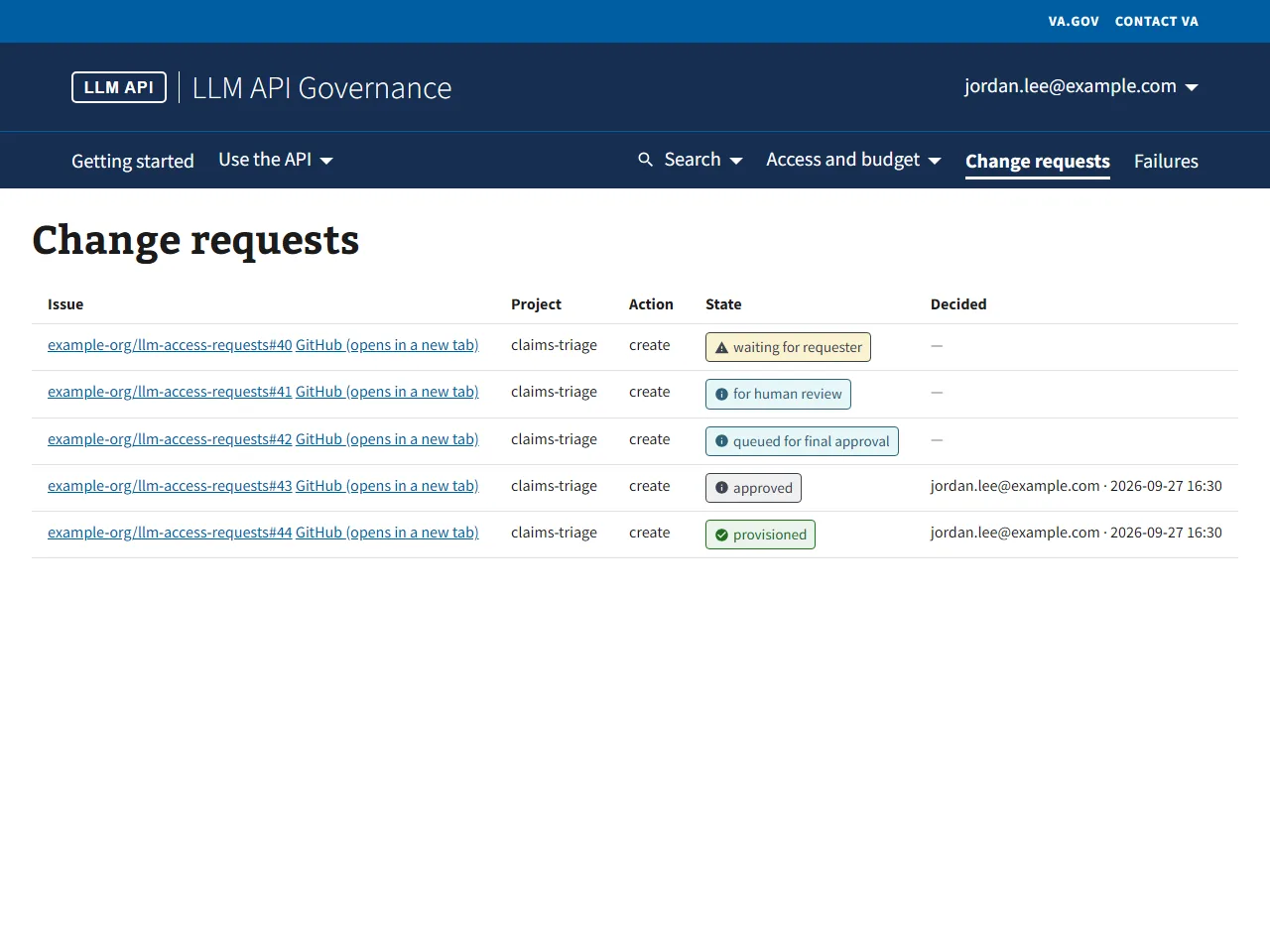
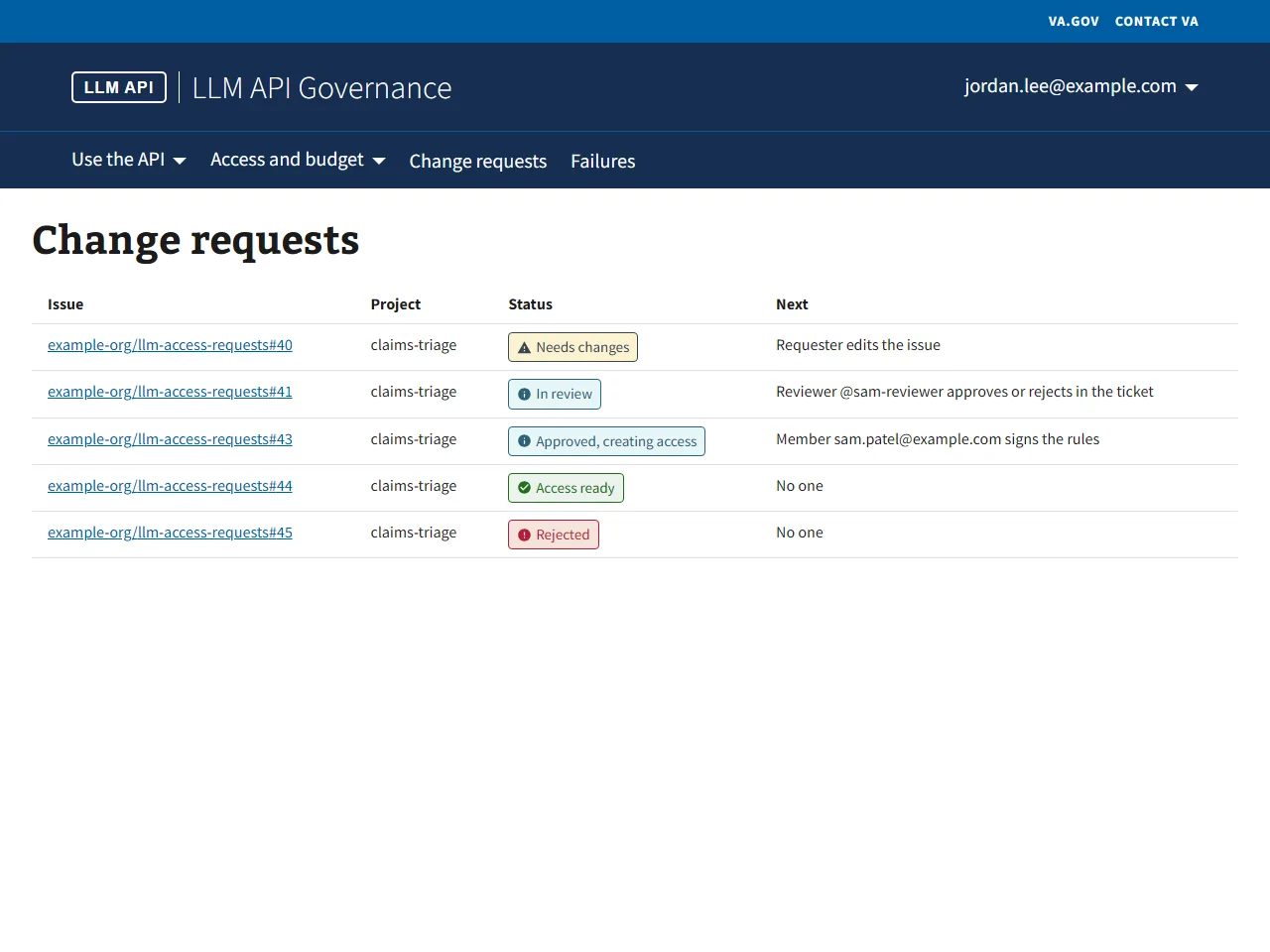 CurrentProposed
Drag the handle, or focus it and use the arrow keys.
Problem P2
Pages do not say who acts next. State names such as "queued for final approval" are internal.
Change C2
The active step says who acts next, in plain words.
04Outcome
Six of ten changes shipped to the live app.
Four are built in full: the new header, the header menus, a home page for each kind of user, and links between the issue and the web app that stay in place. Two more are built in part: the rules of behavior reminder and the expiry alert.
- C1One status view: the same steps on the review page, Me, and the bot comment.Fixes P1: The request status is split between the GitHub issue and the web app. No screen shows every step.Proposed
- C2The active step says who acts next, in plain words.Fixes P2: Pages do not say who acts next. State names such as "queued for final approval" are internal.Proposed
- C3The bot comment names each member who has not signed. The notice goes out when the request is filed.Built in part: a separate bot comment names the members who have not signed and links Me. The notice still goes out after approval.Part built
- C4Each bot comment links the review page and Me, and the sync keeps the links. The provisioned comment links Me.Fixes P4: The review link is in the bot comment only until the next hourly sync rewrites it. The provisioned text has no link to Me.Built
- C5Me shows access, usage, and next actions. Internal fields stay on the review page.Fixes P5: Me shows internal fields (subscription id, desired state, apply status) and no usage. "File a new issue" has no link.Proposed
- C6Expiry and budget alerts.Built in part: Home shows the expiry alert from 7 days before access ends. Budget alerts are not built.Part built
- C7As on VA.gov, the header shows "Sign in" when signed out, and an account menu when signed in.Fixes P7: The header shows "Signed in as" with the name, the role ids, and a separate Sign out. VADS puts the signed-in user in a header menu.Built
- C8A main menu row: Use the API, and Access and budget, plus direct links to Projects and Change requests.Fixes P8: A user lands on the change list or Me, by role. No page says what this user can do next.Built
- C9A home page for each kind of user: actions first, information after.Fixes P8: A user lands on the change list or Me, by role. No page says what this user can do next.Built
- C10Request extension shows from 30 days before access ends. The expiry alert starts at 7 days.Fixes P6: Expiry and budget have no warning before access stops.Proposed
05The mockups
Walk the whole flow.
The app as built, the user workflows, and the changes still proposed. Open any card to try the mockup; use the arrow keys to step through. All names and data are fictional.
67 of 67
Sign-in and Home8Current flow
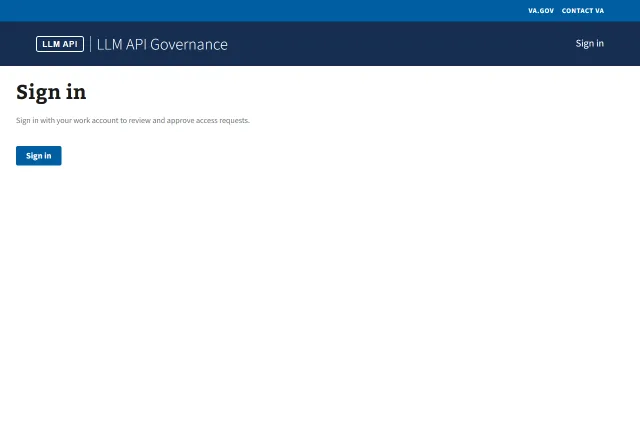 Open01AnyoneSigned outThe sign-in page. The header shows Sign in.
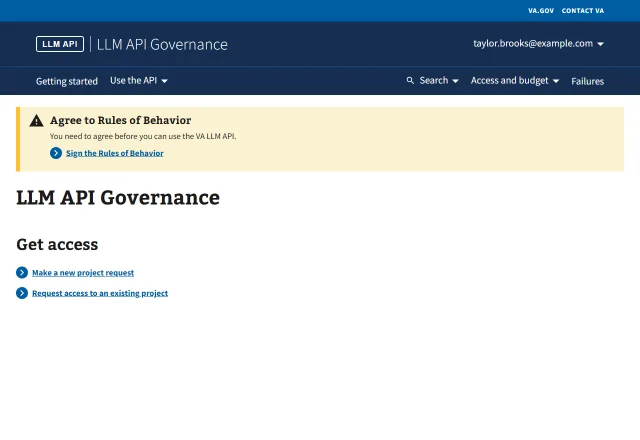 Open02MemberNew user without accessTwo choices: a new project request, or access to an existing project. The rules of behavior banner shows because the user has not signed.
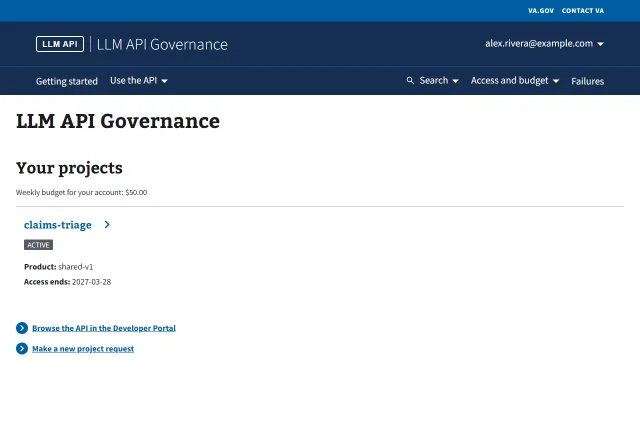 Open03MemberMember with accessEach project with its status and end date, then the Developer Portal and new project links. Open the header menus to see Use the API, Access and budget, and the account menu.
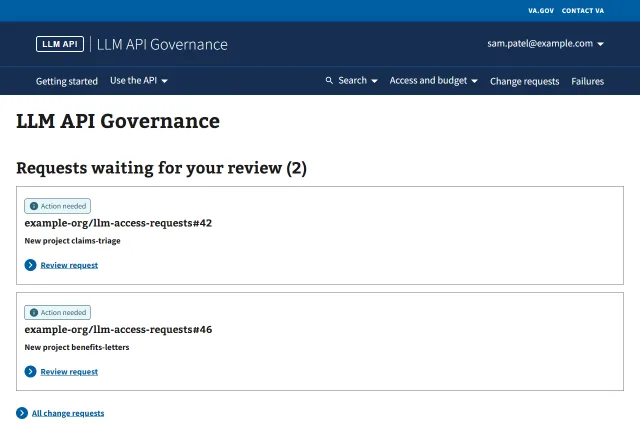 Open04ApproverApprover who is also a memberRequests waiting for this approver as status cards, then their projects and the usage dashboard link. Each card opens the review page.
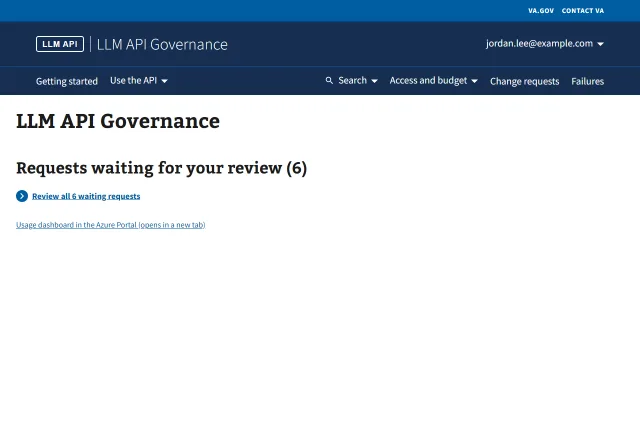 Open05ApproverApprover with more than 4 requestsMore than 4 waiting requests show as a link to the change-requests table, not cards.
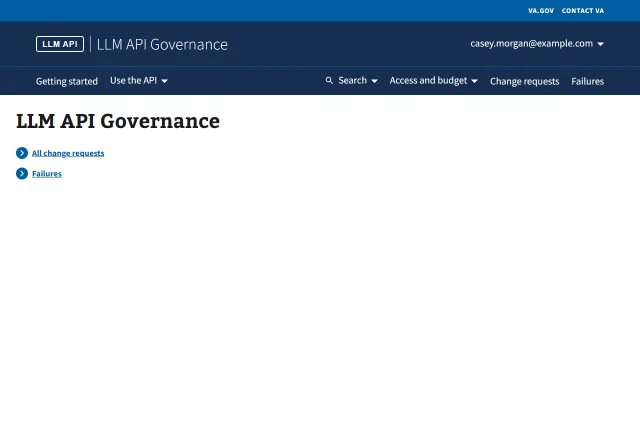 Open06AdminAdmin without a projectLinks to Change requests and Failures.
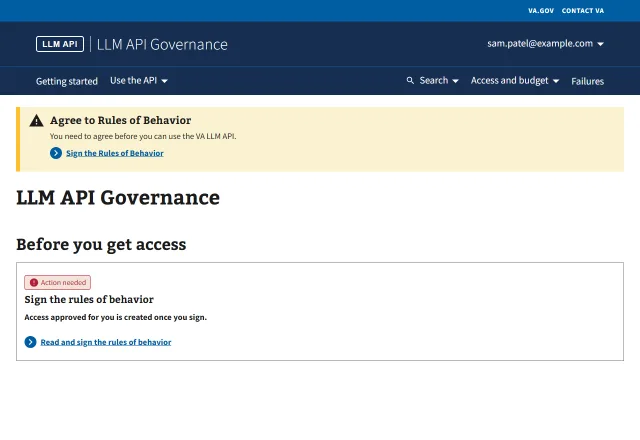 Open07MemberRules of behavior not signedA red status card and the rules of behavior banner. Signing on Me clears both.
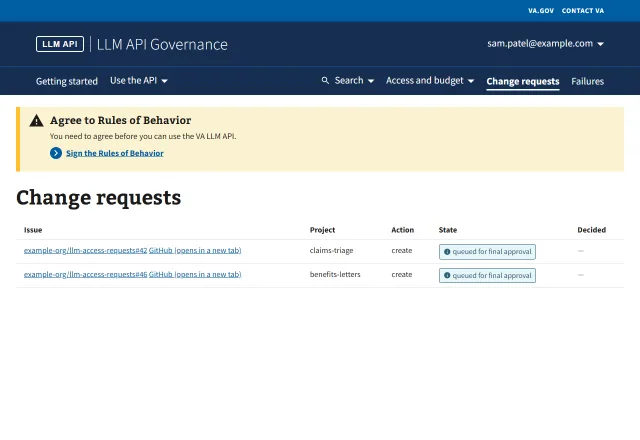 Open08ApproverRules of behavior banner on another pageThe banner shows on every page but Me until the user signs, here on Change requests.
Change requests2Current flow
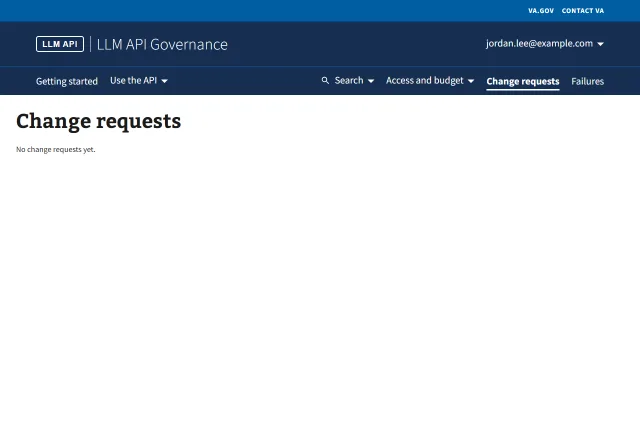 Open09ApproverNo change requestsThe list before any request is filed.
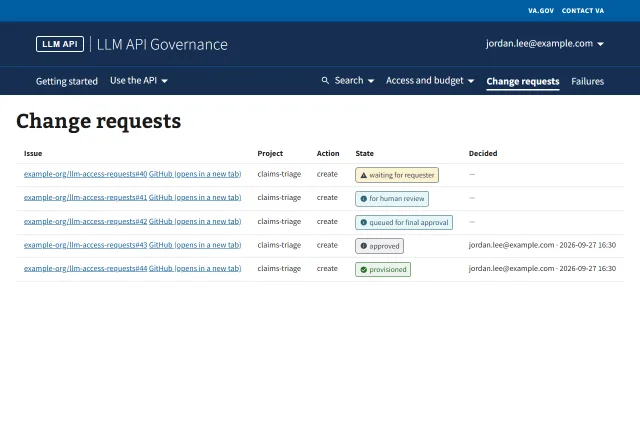 Open10ApproverRequests in every listed stateOne request in each state of the request state machine. Rejected requests are not listed.
Review page7Current flow
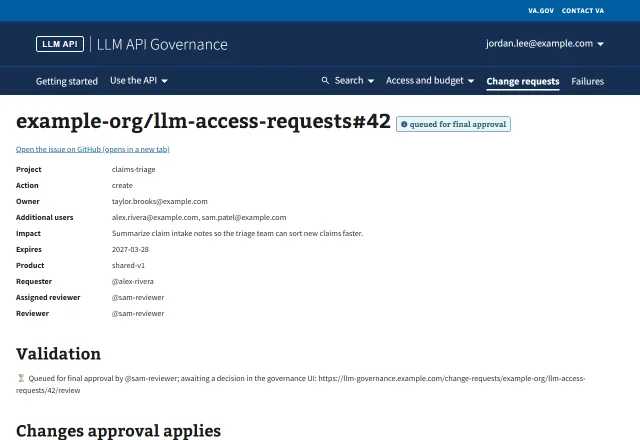 Open11ApproverQueued: approver can decideA request queued before ADR 0013, with Approve and Reject enabled. New requests are approved in the issue and do not reach this state.
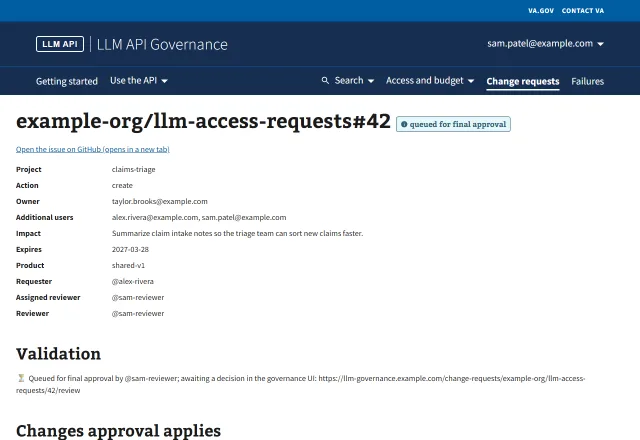 Open12ApproverQueued: viewer is a memberThe approver is in the request, so Approve and Reject are disabled with the reason.
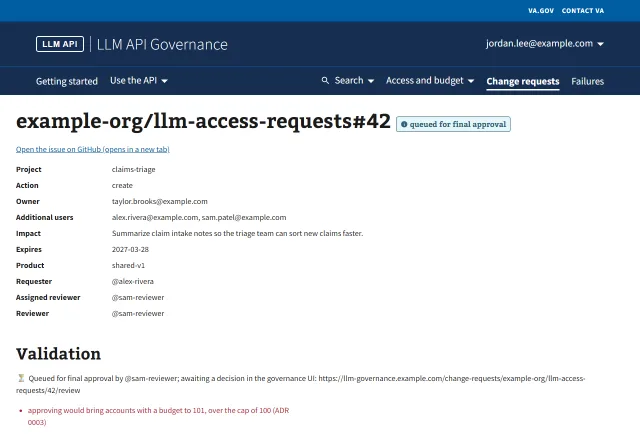 Open13ApproverAccount cap exceededApproving would pass the account cap (ADR 0003). Select Approve to see the error.
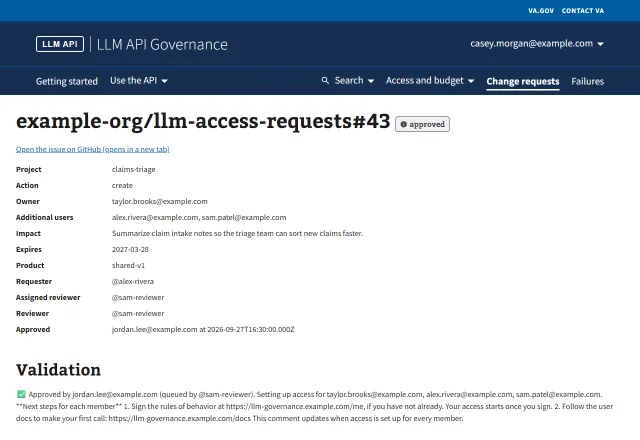
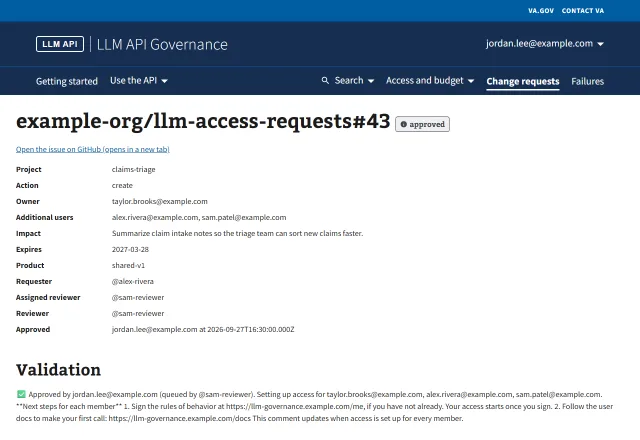 Open14ApproverApproved and provisioningApproved; one member waits on the rules of behavior, one is still being applied.
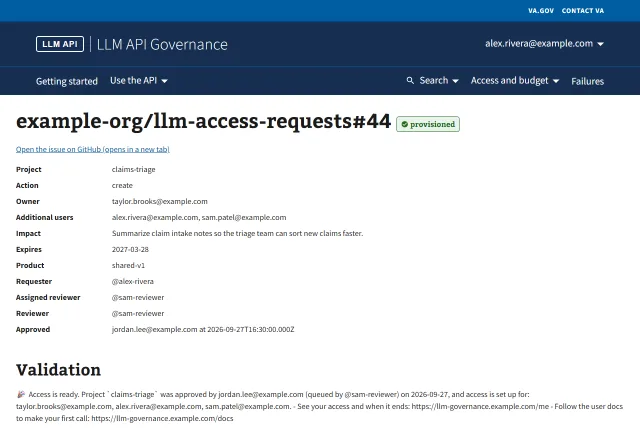 Open15RequesterProvisionedEvery member is applied.
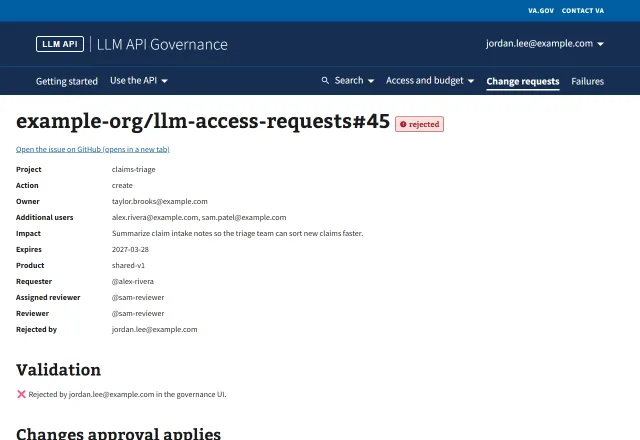 Open16ApproverRejectedThe approver rejected the request on the review page.
 Open17AdminRules of behavior notice failedA member's sign_rob notice is parked, so the request stays approved. The admin sees the error and Retry provisioning.
Me4Current flow
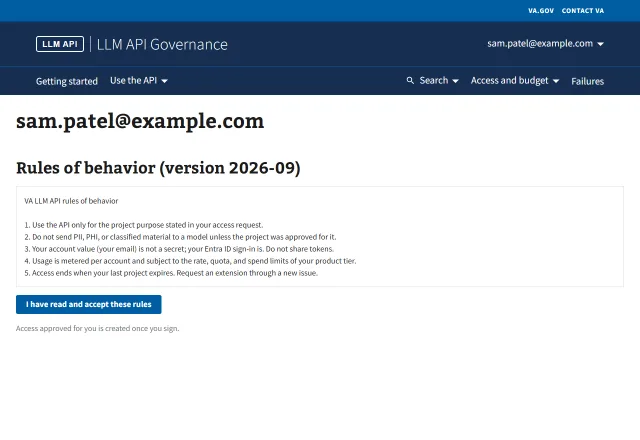 Open18MemberRules of behavior not signedA member added by an approved request must sign before access is created.
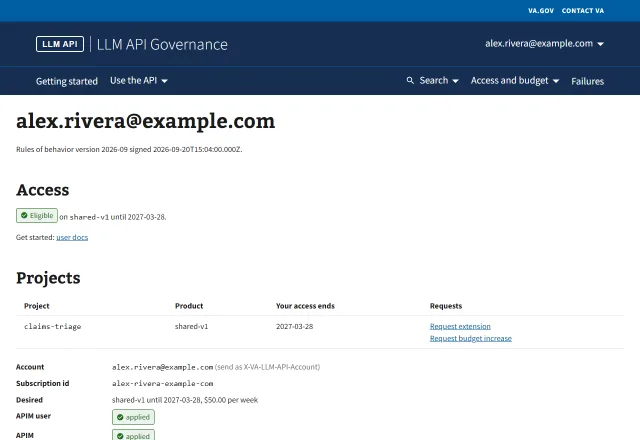 Open19MemberActive subscriptionA member with access: the projects with their request links, then the subscription fields.
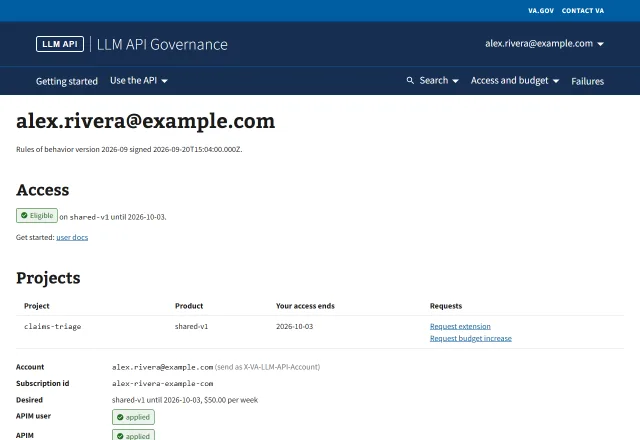 Open20MemberExpires in 7 days or lessAccess ends soon. Me shows no alert; only Home does.
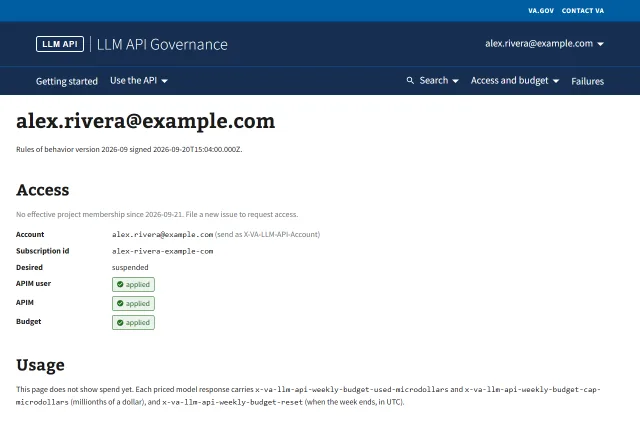 Open21MemberExpiredAccess has ended. The page says to file a new issue, with no link.
Failures2Current flow
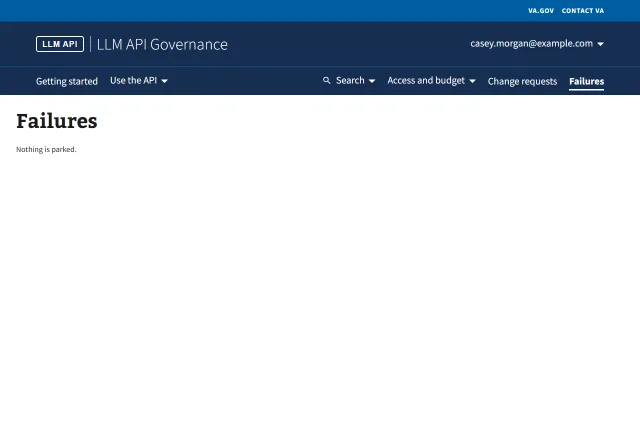 Open22AdminNo failuresNothing is parked.
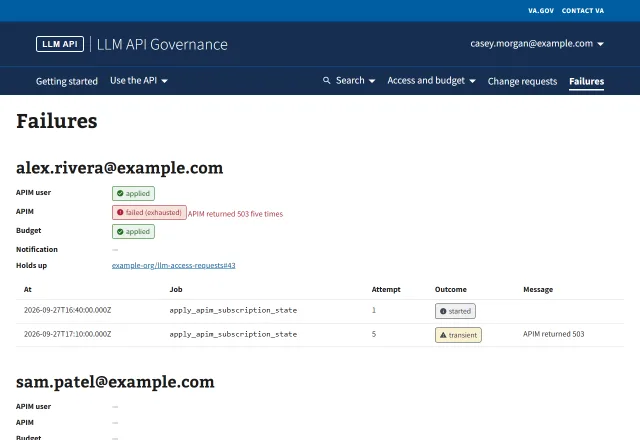 Open23AdminParked membersMembers whose provisioning or notice is parked, with the requests they hold.
GitHub issue5Current flow
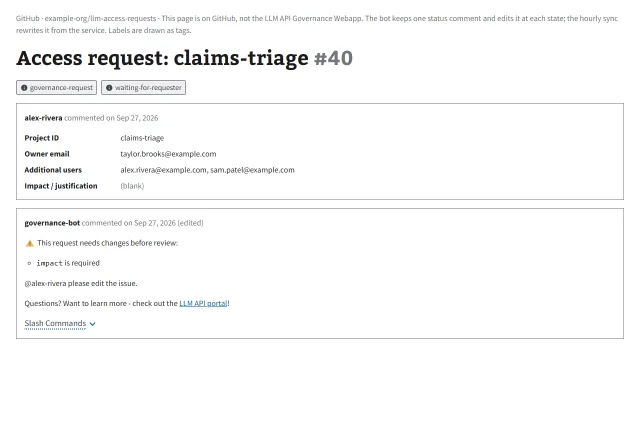 Open24RequesterValidation failureThe bot asks the requester to fix the issue form.
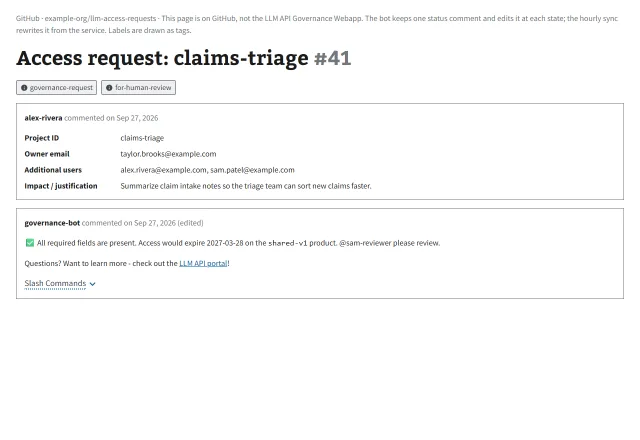 Open25Assigned reviewerReady for reviewThe bot asks the assigned reviewer, a code owner, to review. The reviewer comments /approve or /reject in the issue (ADR 0013).
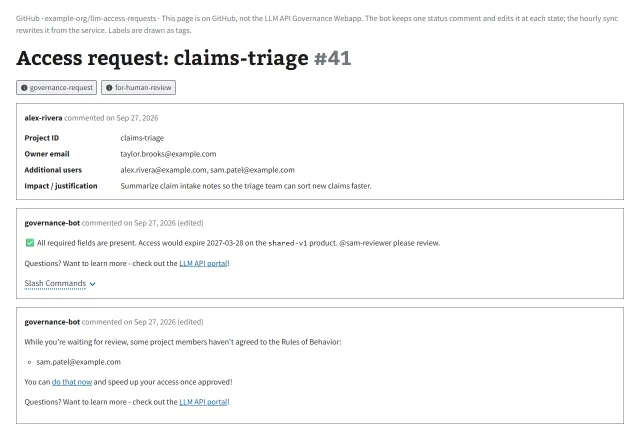 Open26MemberRules of behavior reminderA separate bot comment lists the members who have not signed and links Me. The bot edits it as members sign.
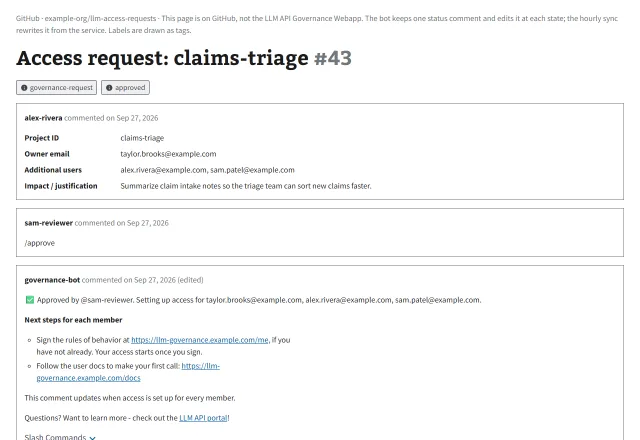 Open27Assigned reviewerApproved in the issueThe reviewer commented /approve. The status comment lists each member's next steps: sign on Me, then the user docs.
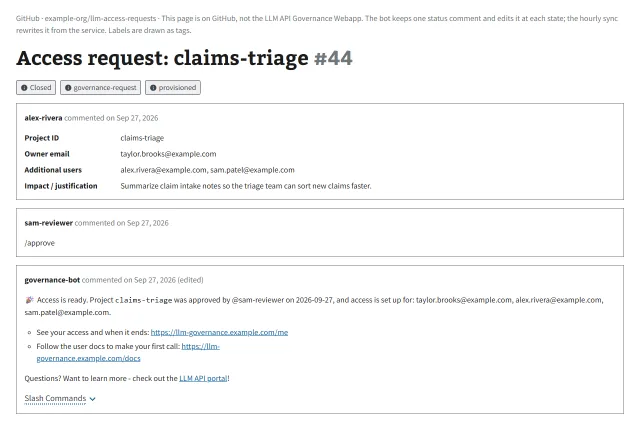 Open28RequesterProvisionedThe status comment says access is ready and links Me and the user docs. The sync closes the issue.
Request an extension14User workflows
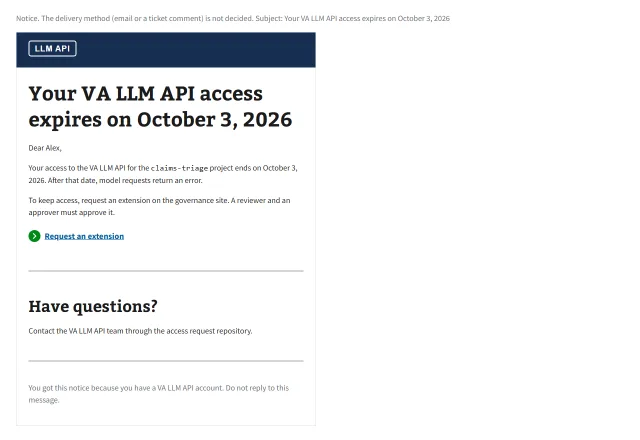 Open29MemberExpiring noticeThe notice 7 days before access ends.
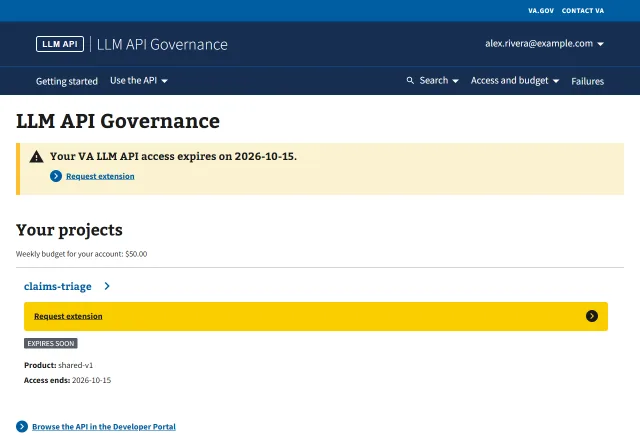 Open30MemberHome: access ends in 5 daysThe expiry alert and Request extension on the project. Me and the Access and budget menu also link the request page.
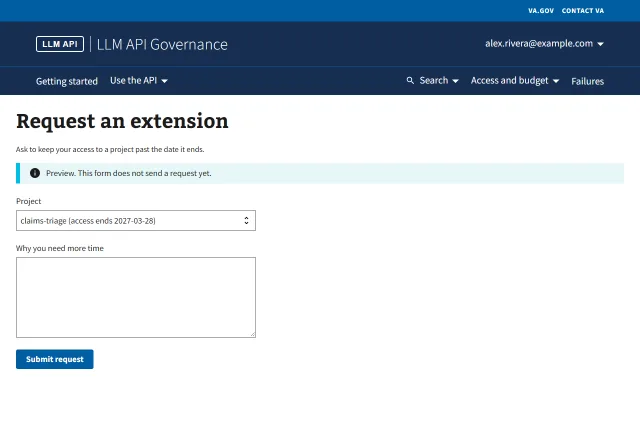 Open31MemberRequest an extension pageThe in-app form, with the project chosen from the link. It is a preview: submitting sends nothing.
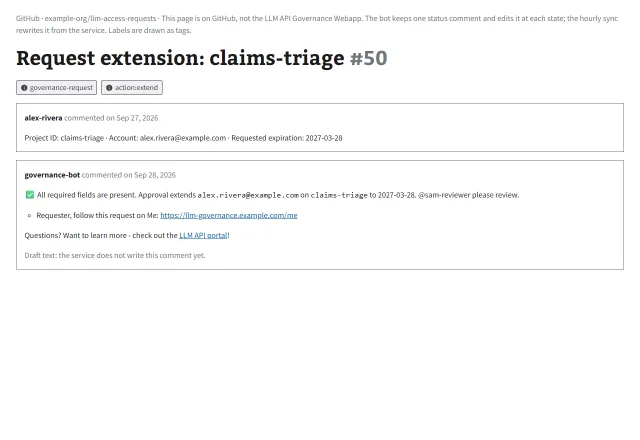 Open32MemberBot commentThe bot names the reviewer and links Me for the requester.
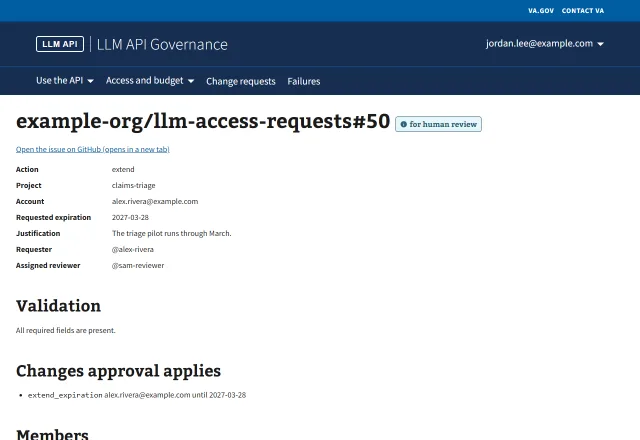 Open33Assigned reviewerReview page: extendextend_expiration for one account. The reviewer approves in the issue.
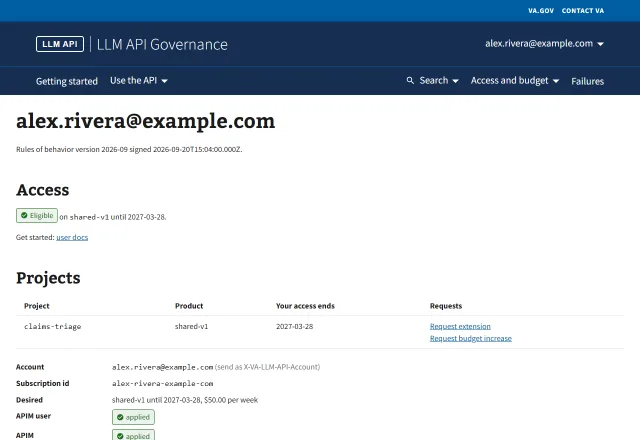 Open34MemberMe: extendedAfter provisioning, Me shows the new end date on the project.
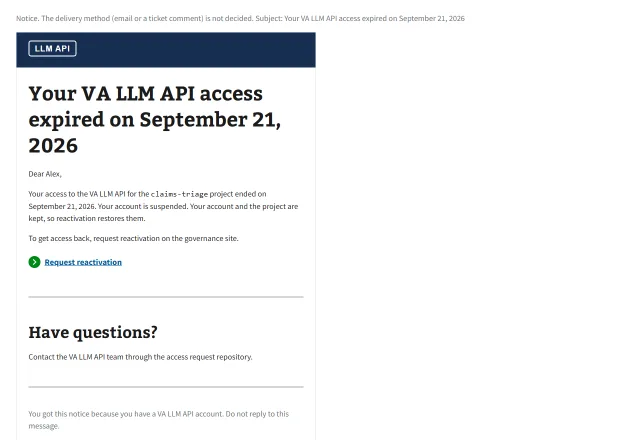 Open35MemberExpired noticeThe notice when the account is suspended.
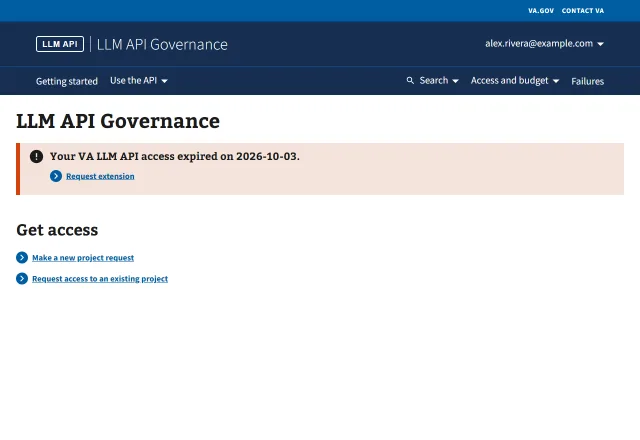 Open36MemberHome: access endedThe error alert with Request extension.
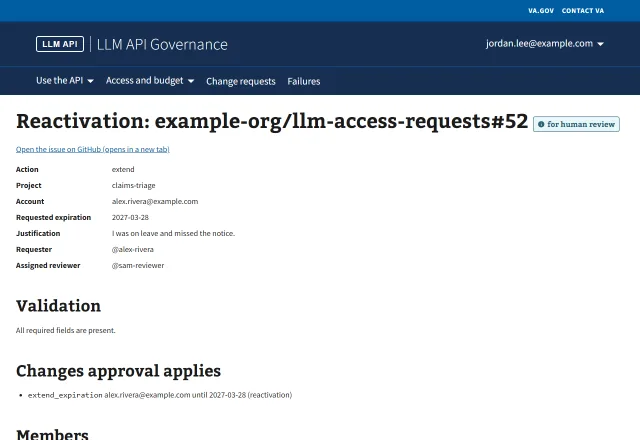 Open37Assigned reviewerReview page: reactivationAn extend for an expired membership is titled Reactivation.
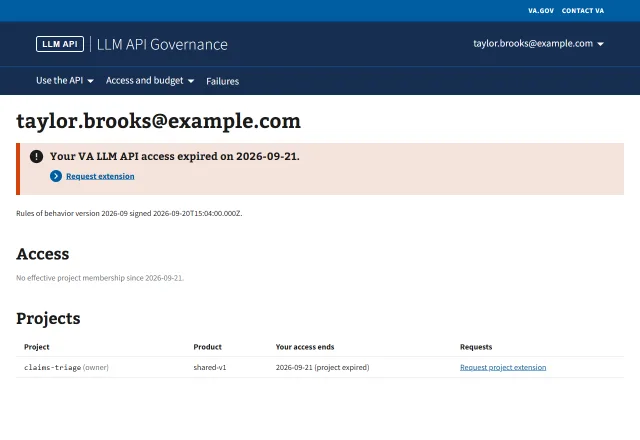 Open38Project ownerMe: project expired (owner)The owner sees only Request project extension.
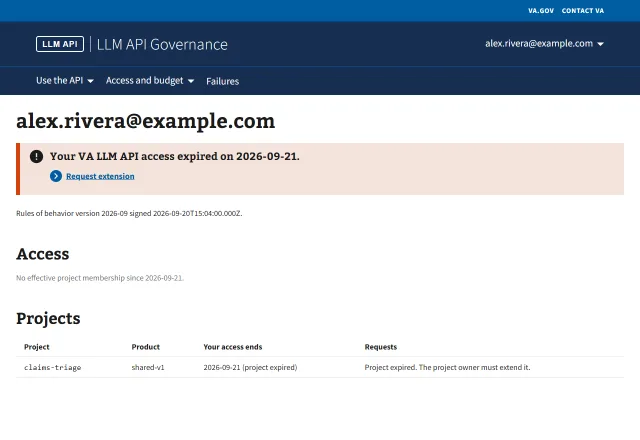 Open39MemberMe: project expired (member)Other members see that the owner must extend the project.
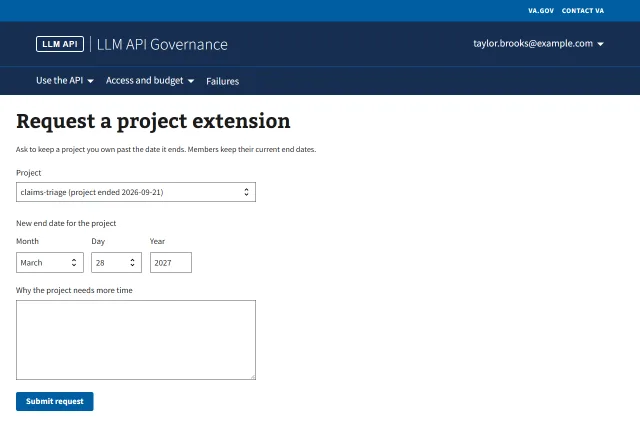 Open40Project ownerRequest a project extension pageA form like the extension page, for the whole project.
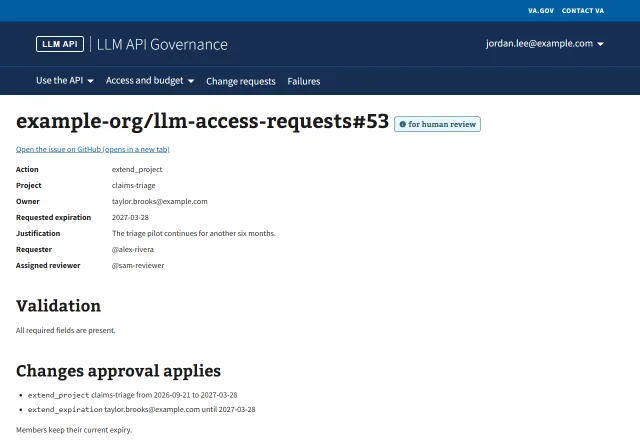 Open41Assigned reviewerReview page: extend_projectThe project extension, with "Members keep their current expiry."
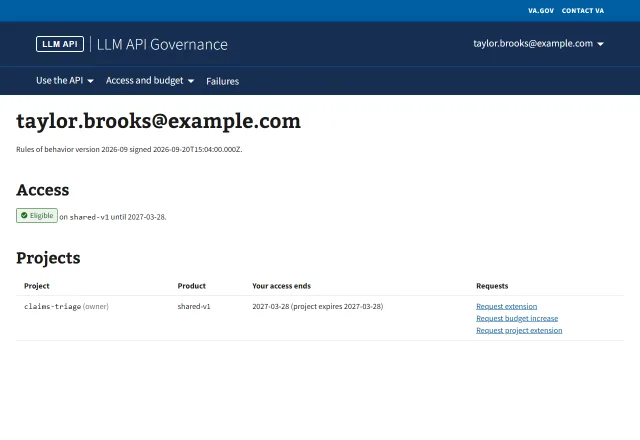 Open42Project ownerMe: project extended (owner)The owner's membership and the project show the new end date.
Request more budget5User workflows
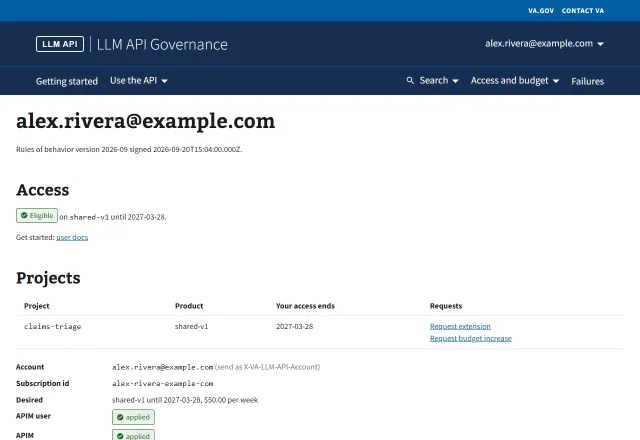 Open43MemberMe: Request budget increaseEach project on Me links Request budget increase.
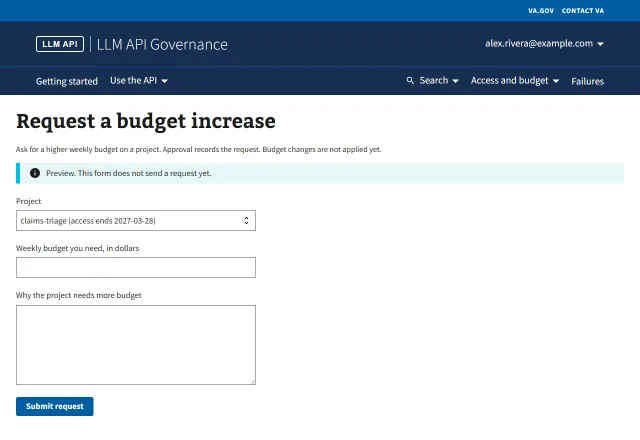 Open44MemberRequest a budget increase pageThe in-app form. It says approval records the request and does not change the budget. It is a preview: submitting sends nothing.
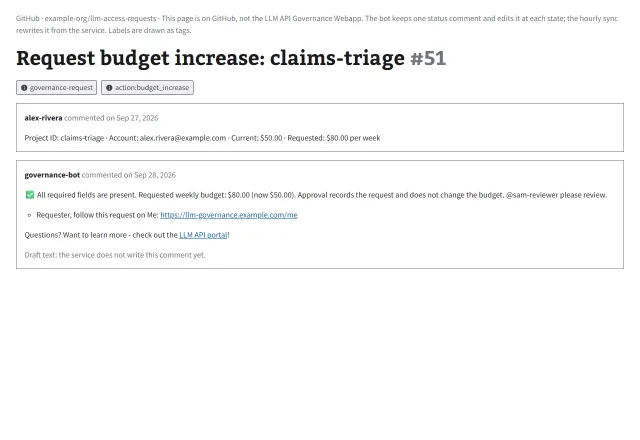 Open45MemberBot commentThe bot says approval records the request and does not change the budget.
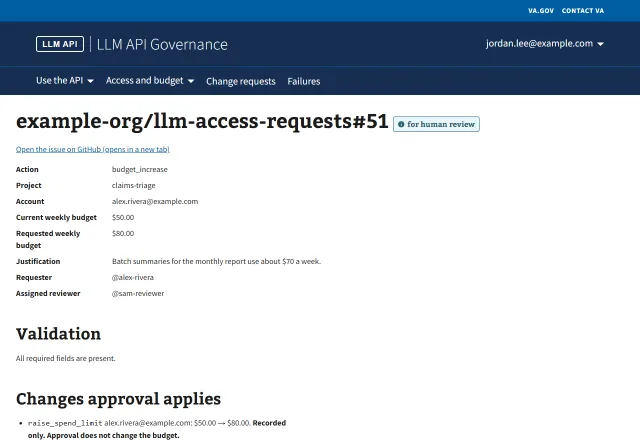 Open46Assigned reviewerReview page: budget_increaseraise_spend_limit, marked "Recorded only."
 Open47MemberMe: after approvalThe request stays approved. The budget is unchanged.
See my own usage6User workflows
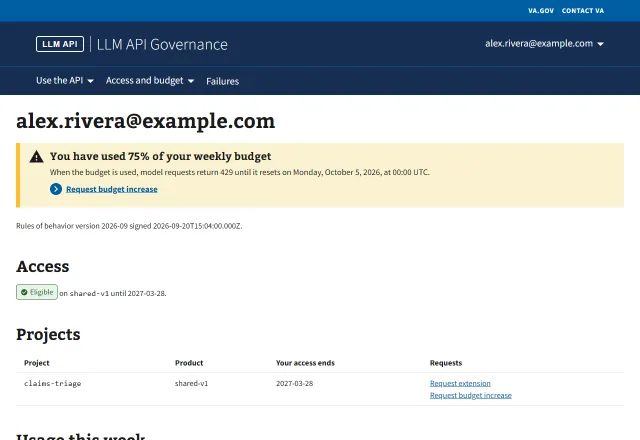
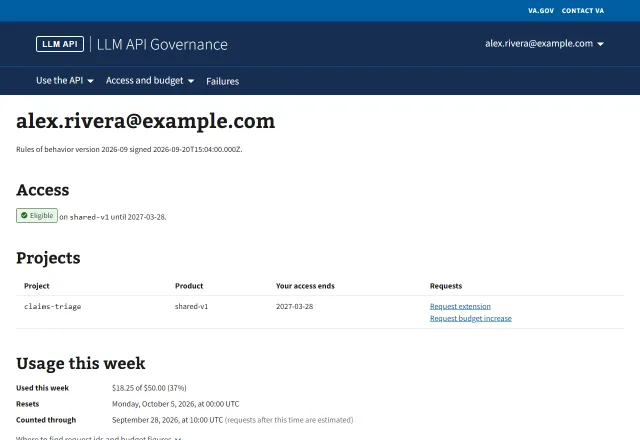 Open48MemberUsage under 75%The usage section from GET /main/meta/usage.
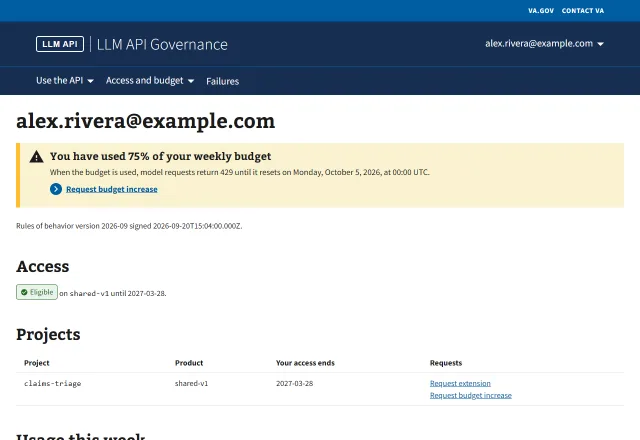 Open49MemberUsage at 75%The usage section and the 75% alert.
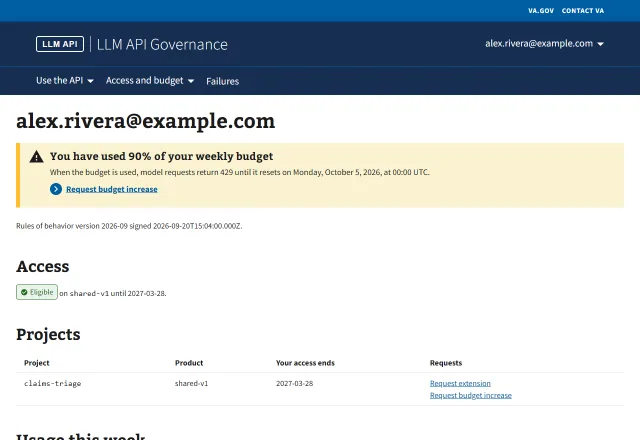 Open50MemberUsage at 90%The usage section and the 90% alert.
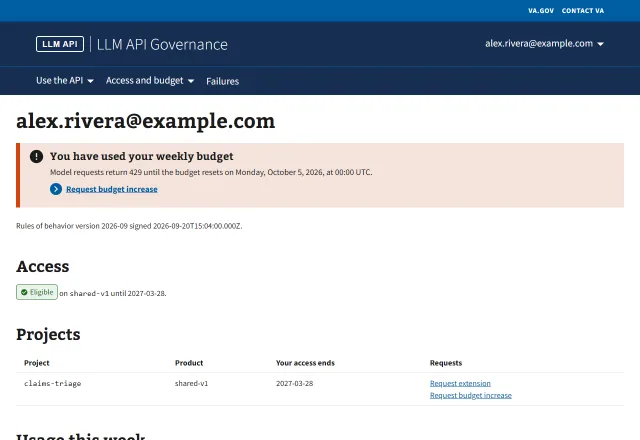 Open51MemberUsage at 100%The budget is used. The alert gives the reset time and Request budget increase.
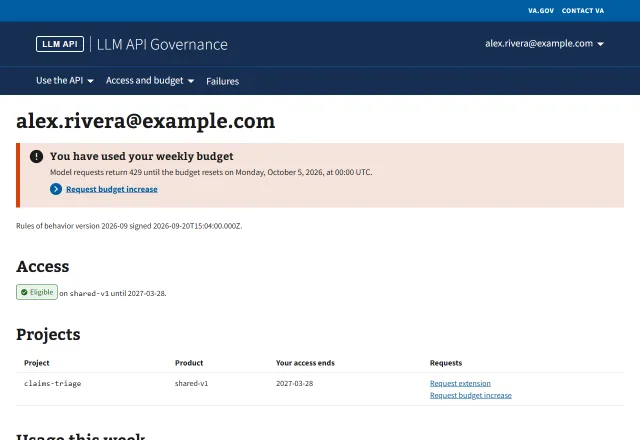 Open52MemberUsage over 100%Concurrent requests passed the cap before their costs were recorded.
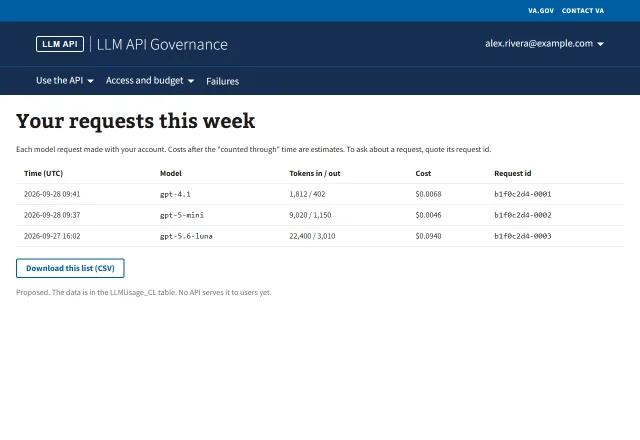 Open53MemberMy requests (proposed)A per-request list with request ids and a CSV export. No API serves this yet.
Sign the rules of behavior1User workflows
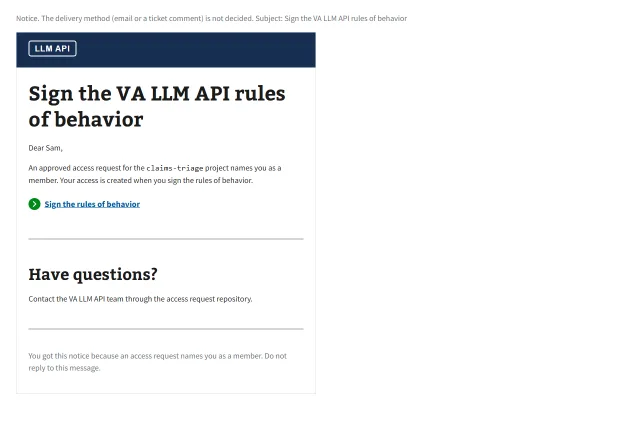 Open54Membersign_rob noticeThe notice a member gets when an approved request needs their signature.
Budget warning and over budget5User workflows
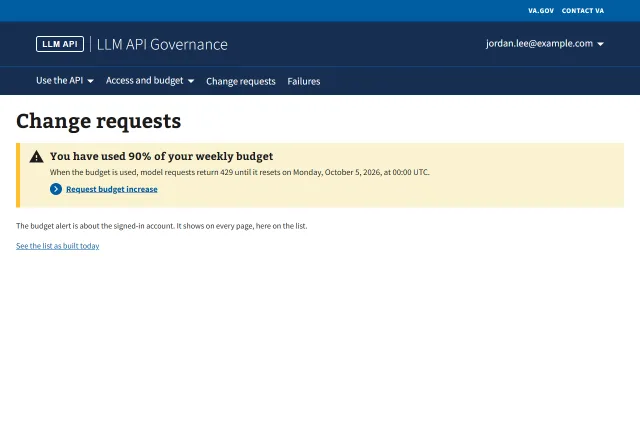 Open55ApproverAlert on another pageThe budget alert shows on every page, here on Change requests.
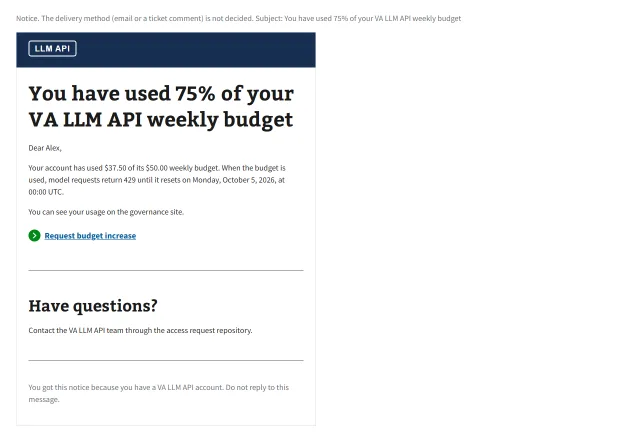 Open56Member75% noticeThe alert notice at 75%.
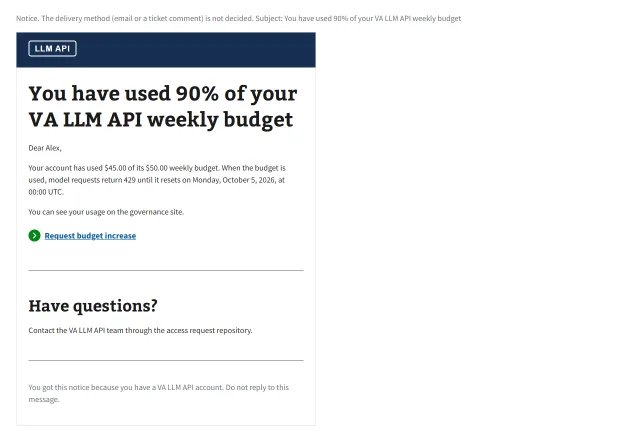 Open57Member90% noticeThe alert notice at 90%.
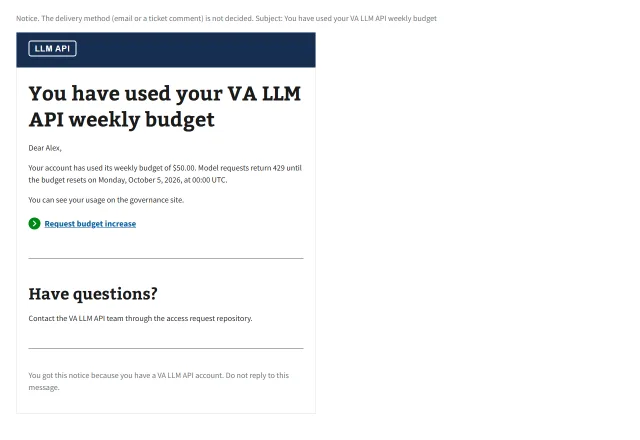 Open58Member100% noticeThe alert notice at 100%.
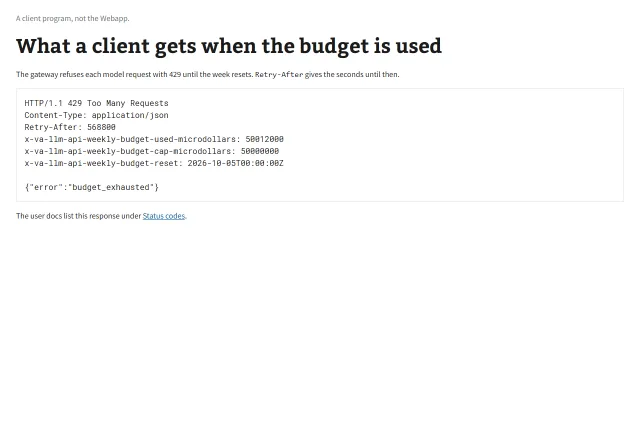 Open59MemberThe 429 a client getsThe budget_exhausted response, with Retry-After and the budget headers.
Proposed screens8Proposed flow
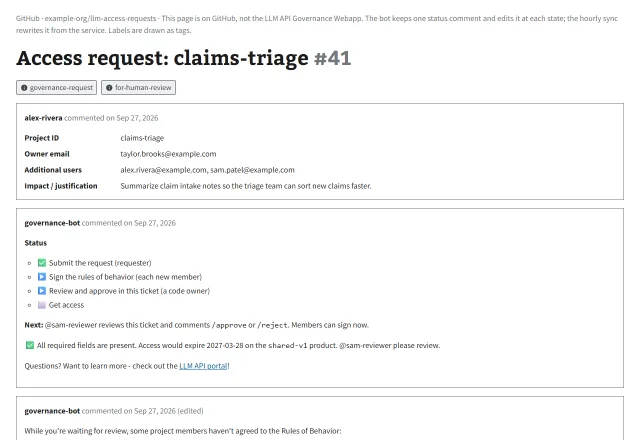 Open60RequesterBot comment: request filedThe status steps and who acts next, above the comment the bot posts today.
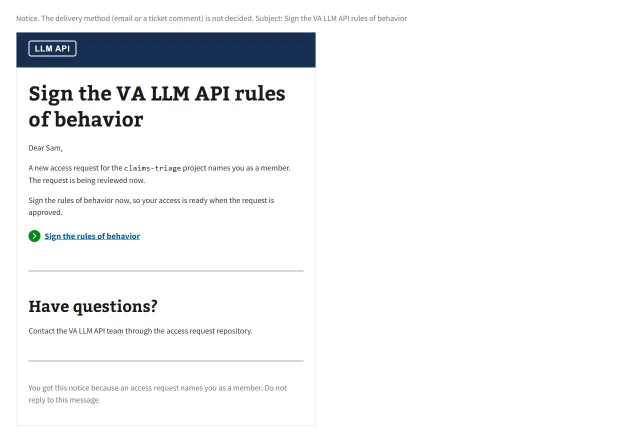 Open61MemberNotice at filingThe member is asked to sign when the request is filed.
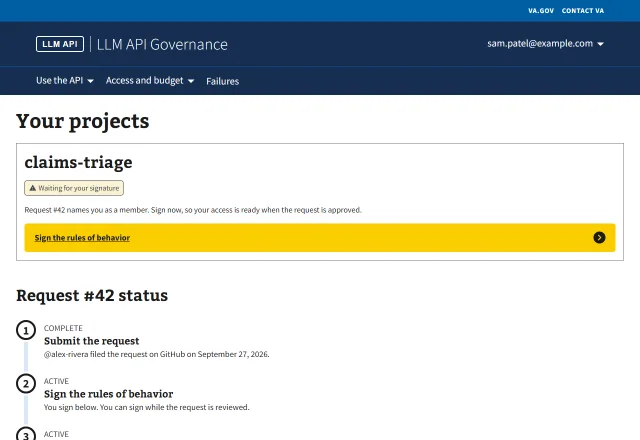 Open62MemberMe: sign while the request is reviewedThe member signs in parallel with the review. The status shows where the request is.
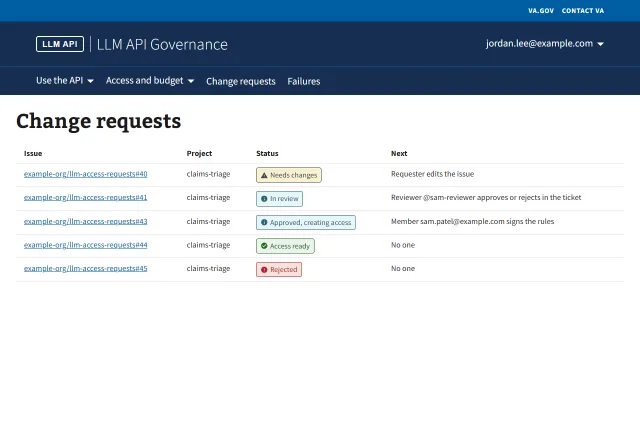 Open63ApproverChange requests: who acts nextPlain status labels and a "Next" column.
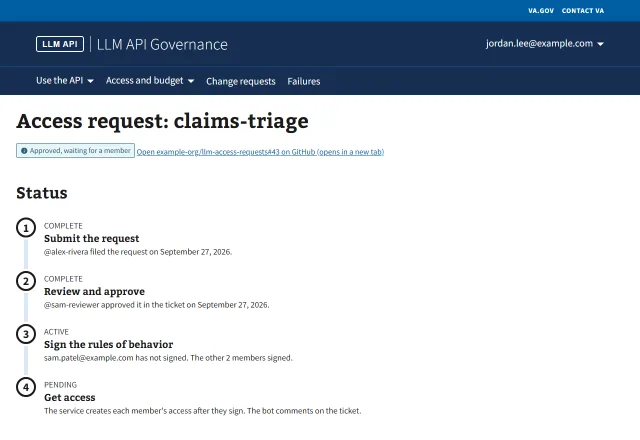 Open64ApproverReview page: status and next stepThe status steps above the details. Approved in the issue; one member still has to sign.
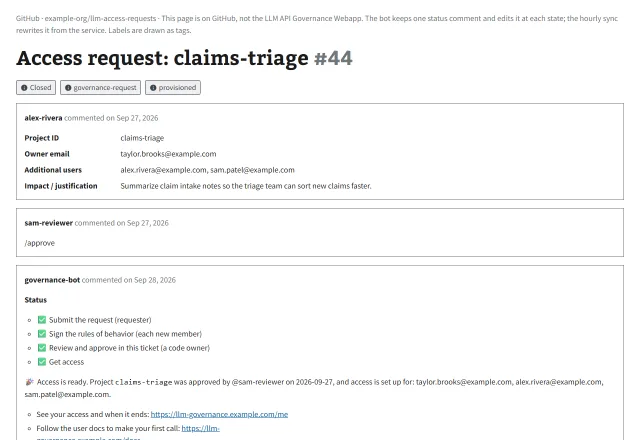 Open65RequesterBot comment: provisionedThe status steps, all done, above the provisioned text.
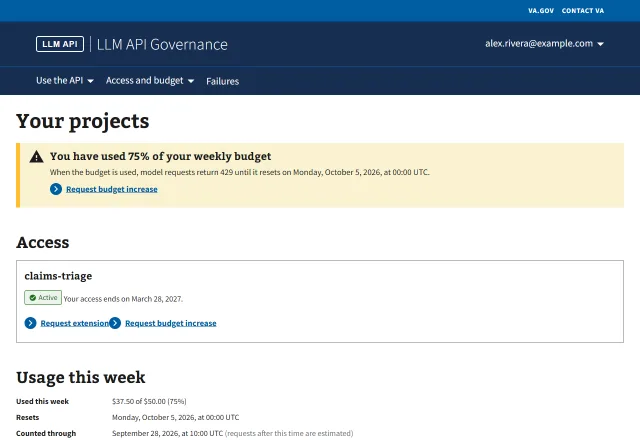 Open66MemberMe: access, usage, and next actionsAccess and usage in plain words, with the request links. Internal fields are gone.
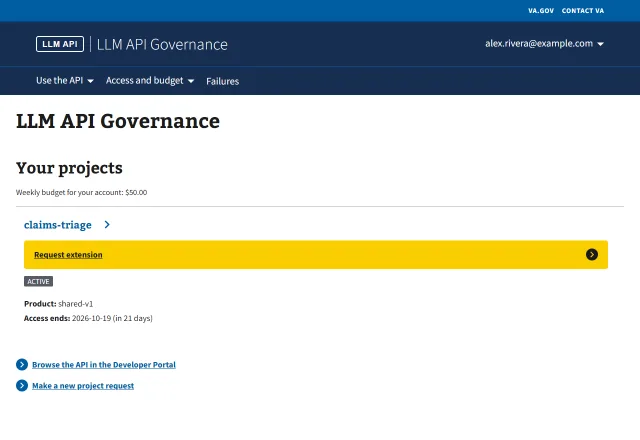 Open67MemberHome: access ends in 21 daysAccess ends within 30 days, so the project shows Request extension. No alert yet: that starts at 7 days.
06In brief
Questions, answered.
01What is this case study about?
It documents the redesign of a governance workflow that gives staff self-service access to large language model (LLM) APIs, with per-user budgets and usage tracking. I mapped the current flow across a GitHub issue and a web app, found where users got lost, and proposed a simpler flow built on the VA Design System (VADS).
02What problems did the original workflow have?
Eight, found by walking every screen for every actor and state. The main ones: the request status was split between the GitHub issue and the web app, pages did not say who acts next, members learned they had to sign the rules of behavior only after approval, access and budget ended with no warning, and no page told a user what they could do next.
03What changes were proposed?
Ten. They include one status view with the same steps everywhere, a plain-language "who acts next" on the active step, asking for the rules of behavior when the request is filed, a VA.gov-style header and menus, a home page for each kind of user, and expiry and budget alerts with Request extension from 30 days before access ends.
04How many of the proposed changes shipped?
Six of ten. Four are built in full: the new header, the header menus, a home page for each kind of user, and links between the issue and the web app that stay in place. Two are built in part: the rules of behavior reminder and the expiry alert.
05How were the 67 mockups made?
The current-flow mockups render the production React app against fixture data with a stubbed fetch, so they stay true to the real pages. Only screens that do not exist yet are drawn, using the app’s own components. Every screen uses VADS components, is labeled with its actor, state, and the problem or change it shows, and is tested with Playwright and an axe accessibility scan (WCAG 2.1 AA).
06What technology is the portfolio built with?
The case study site is Next.js (App Router, static export), strict TypeScript, and Tailwind CSS v4, tested with Vitest and Playwright. The mockups are React, TypeScript, Vite, and VADS web components.
07Is this an official VA website?
No. It is a portfolio design sample by Michael Nau / Bornless Studio. It is not affiliated with or endorsed by the U.S. Department of Veterans Affairs, and all names and data are fictional.